Top Rated

We make your business run smoother, through apps.

We're Whatever Tech, a U.S. company that builds apps on monday.com: one for each team in your company, all running on the same connected data. Your people use them from week 2.

100+ implementations
15+ countries
45,000+ hours automated
100+ projects · verified reviews on Upwork
monday.com Partner
Upwork
Top Rated on Upwork

Official monday.com Partner · Expert Consultant (Top 1%) · Top Rated on Upwork

Whatever Tech LLC is insured Professional liability · biBERK, Berkshire Hathaway Cyber and data · Hiscox
Trusted by teams across 15+ countries
The problem

Phrases you'll stop hearing.

Most companies run on a to-do list: in monday.com, in Excel, in someone's head. This is what that sounds like every day.

What you hear today
"Who was supposed to call this client?"
"We forgot to bill that invoice."
"Send me the report when you can."
"Only she knows how to do that."
"We're going to have to hire someone else."
"Which Excel is the right one?"
What changes in 8 weeks
Every client has an owner and a next step.
Nothing counts as closed until it's collected.
Sales, cash and progress, up to date in your app.
The process lives in the system, not in one person.
The same team serves more clients.
One version of everything, for everyone.
What's an app

An app is the screen one team works in, connected to all your data.

Every business runs on the same things: clients, orders, inventory, invoices, people. We store each one once, in databases inside your monday, and connect them all. Then each team gets its app: a screen with only what it needs to do its job, on desktop and mobile.
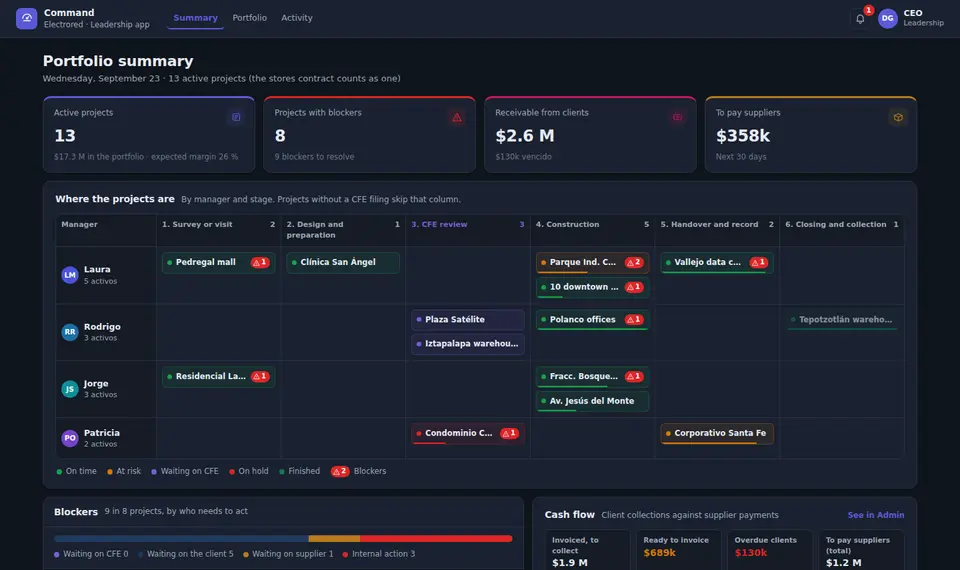
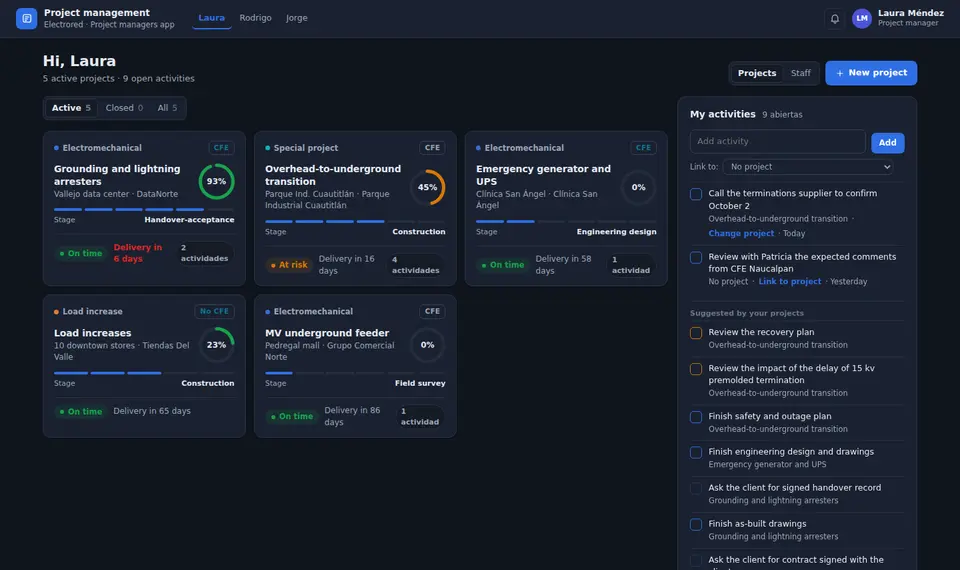
electrored.monday.app · data architecture
What it looks like in a real build. Every role gets its own app, and every app reads and writes to the same database. Hover an app or a table to see its real connections.Tap an app to see what it reads and writes.

01Your databases.

Clients, orders, invoices and everything your business tracks, stored once and connected to each other.

02Your apps.

One per team: the screen your people open every day, with only what they need.

03All connected.

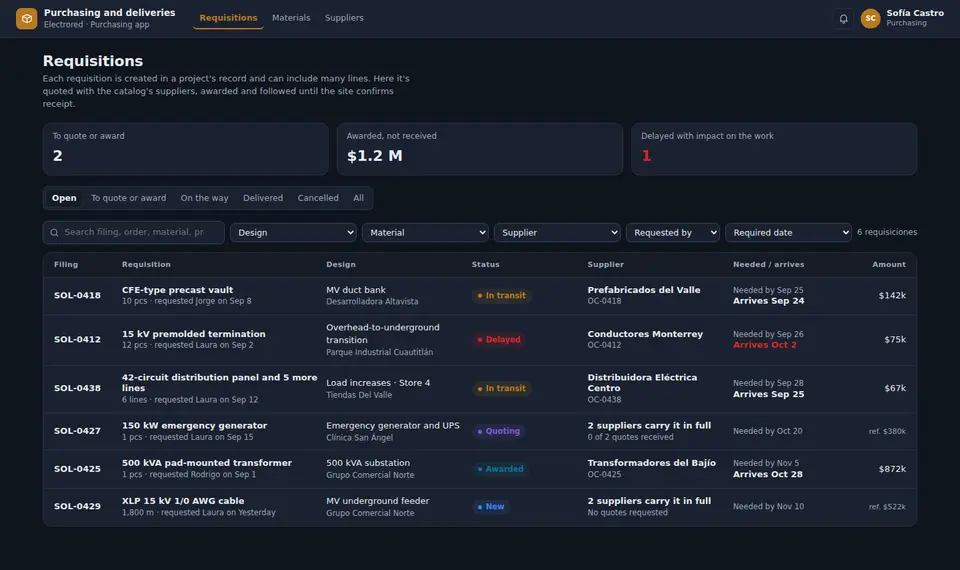
When sales closes a deal, logistics sees it. When logistics dispatches, admin bills it. Nobody retypes anything.

One process moves across apps, without retyping anything.

Sales app
S
Order #1042Grupo Andino
Sold
Quote accepted for $4,200
Logistics app
L
Order #1042Grupo Andino
Dispatched
Left Thursday with waybill 0981
Admin app
A
Order #1042Grupo Andino
Collected
Invoice F-311 paid

It's the same order, stored once in monday. Each team sees it and moves it from its own app.

How many apps do you need? Count your teams.

People who do the same work share an app. Each app has at least one owner and can include several people.

1 app

Same people. If your logistics team buys and dispatches, it's one app: Logistics.

2 apps

Different people. If one person handles purchasing and another runs the warehouse, each gets their own.

What you can do

What can you do with an app?

Everything your team does today on paper, in Excel or over WhatsApp, in one place that keeps itself up to date.

Capture.

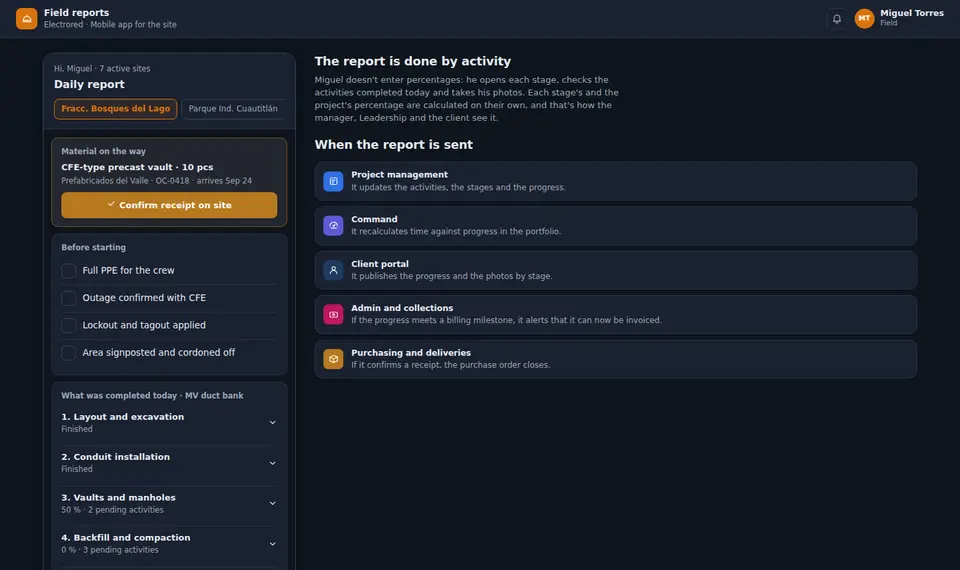
Log a sale, an order or a site visit from the phone, with photos and checklists.

Automate.

Reminders, follow-ups and approvals that go out on their own.

See.

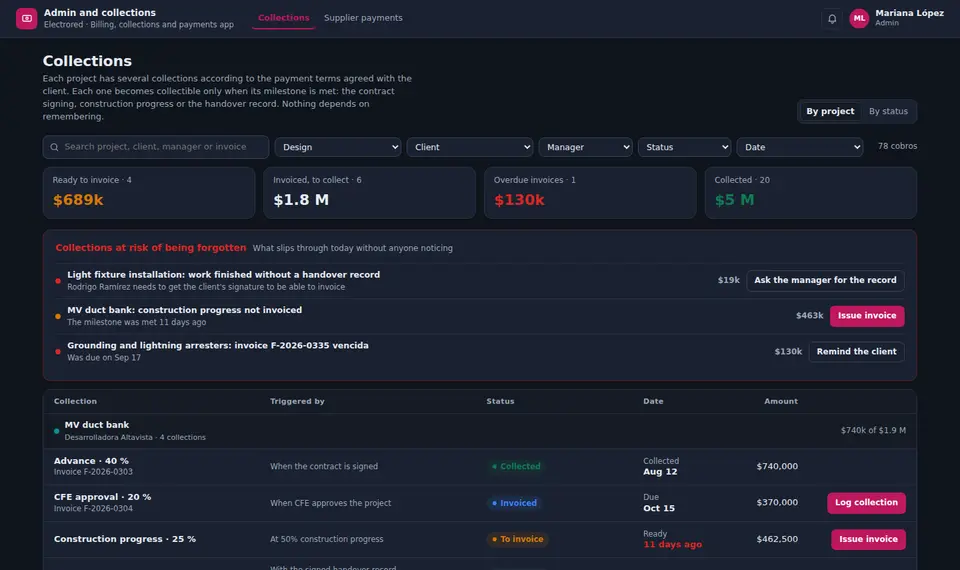
Sales, cash and progress, live, without asking anyone for a report.

Ask.

Ask your numbers in plain language, with AI working on your own data.

Share.

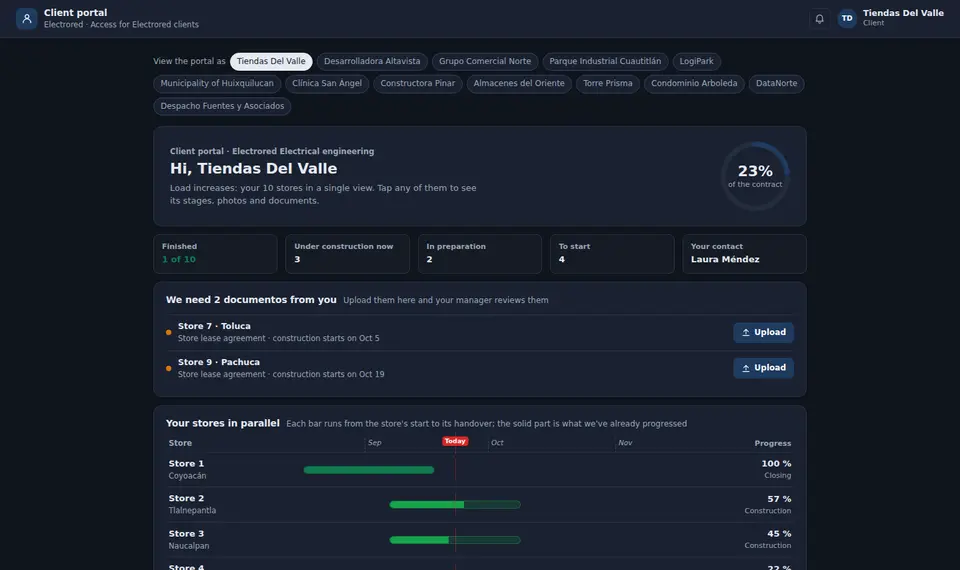
A client portal where each client sees only what's theirs.

Connect.

Link your apps with WhatsApp, email or your website when you need it.

Integrations with other tools are quoted separately.

One connected system, an app for every area
Revenue
CRM / Sales
Pipeline, quotes and follow-ups, for every rep
Execute
Ops / Field work
Orders, projects and field work, from any phone
Collect
Finance / Billing
Invoices, collections and cash, always up to date
People
HR / Hiring
Hiring, onboarding and know-how that stays
Trust
Client portal
Your clients see only what's theirs
Demos

Systems we designed for 20 industries

Each one started from a discovery meeting with a real company and was rebuilt with fictional data. Four are previewed here. The full set opens under NDA.

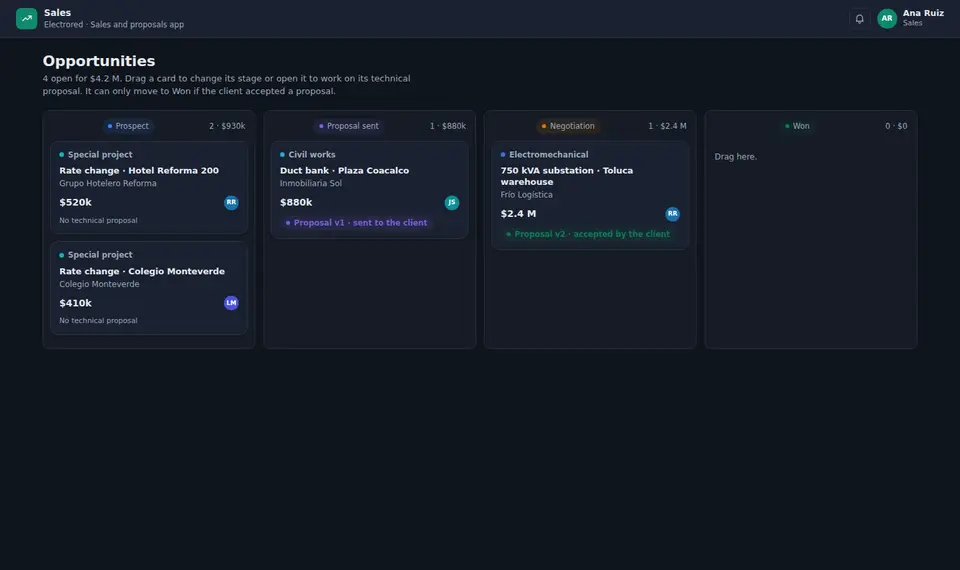
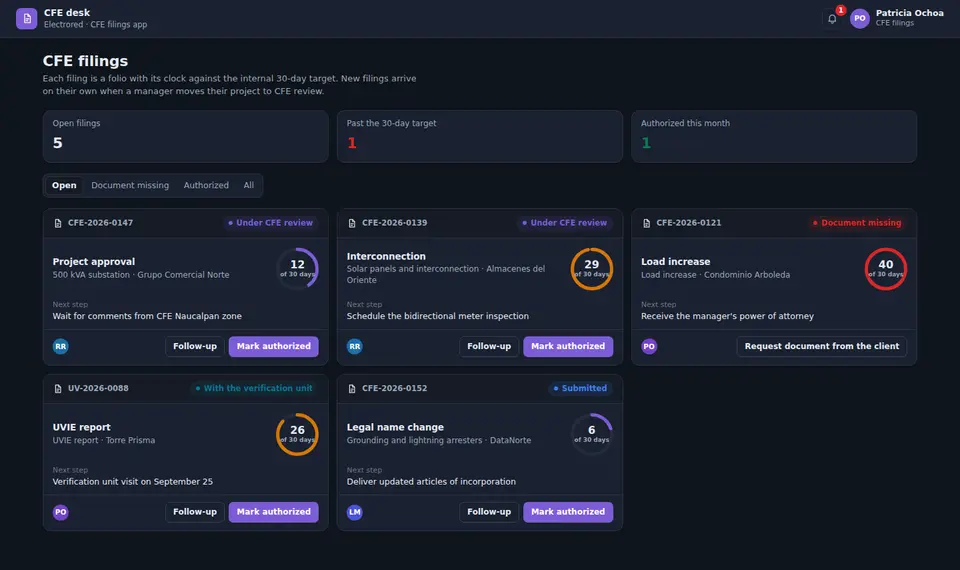
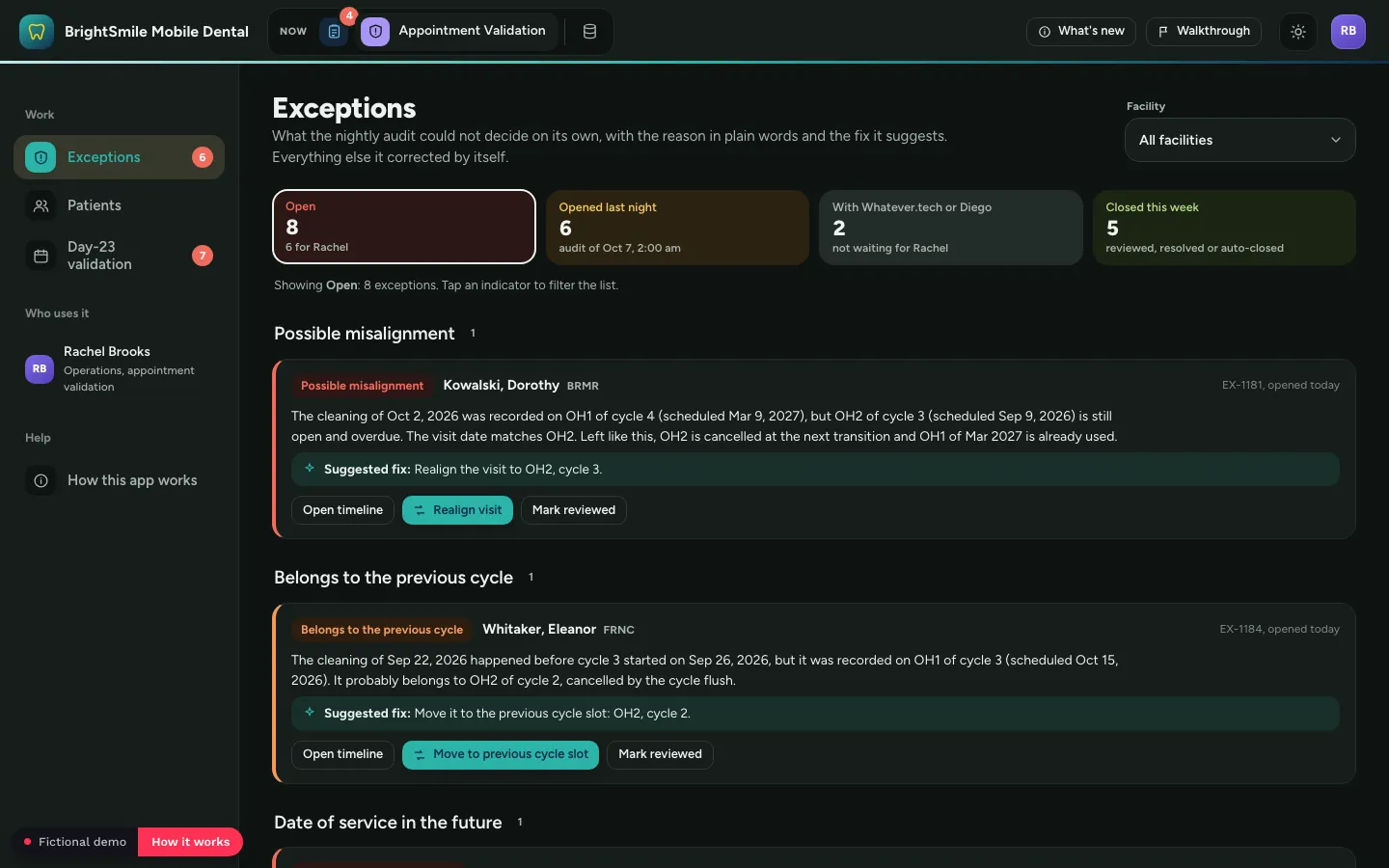
Mobile dental services: What Rachel cannot see today, the audit shows her, demo with fictional data
Mobile dental services

"You stop hunting for misaligned visits: the audit brings them to you, with the fix."
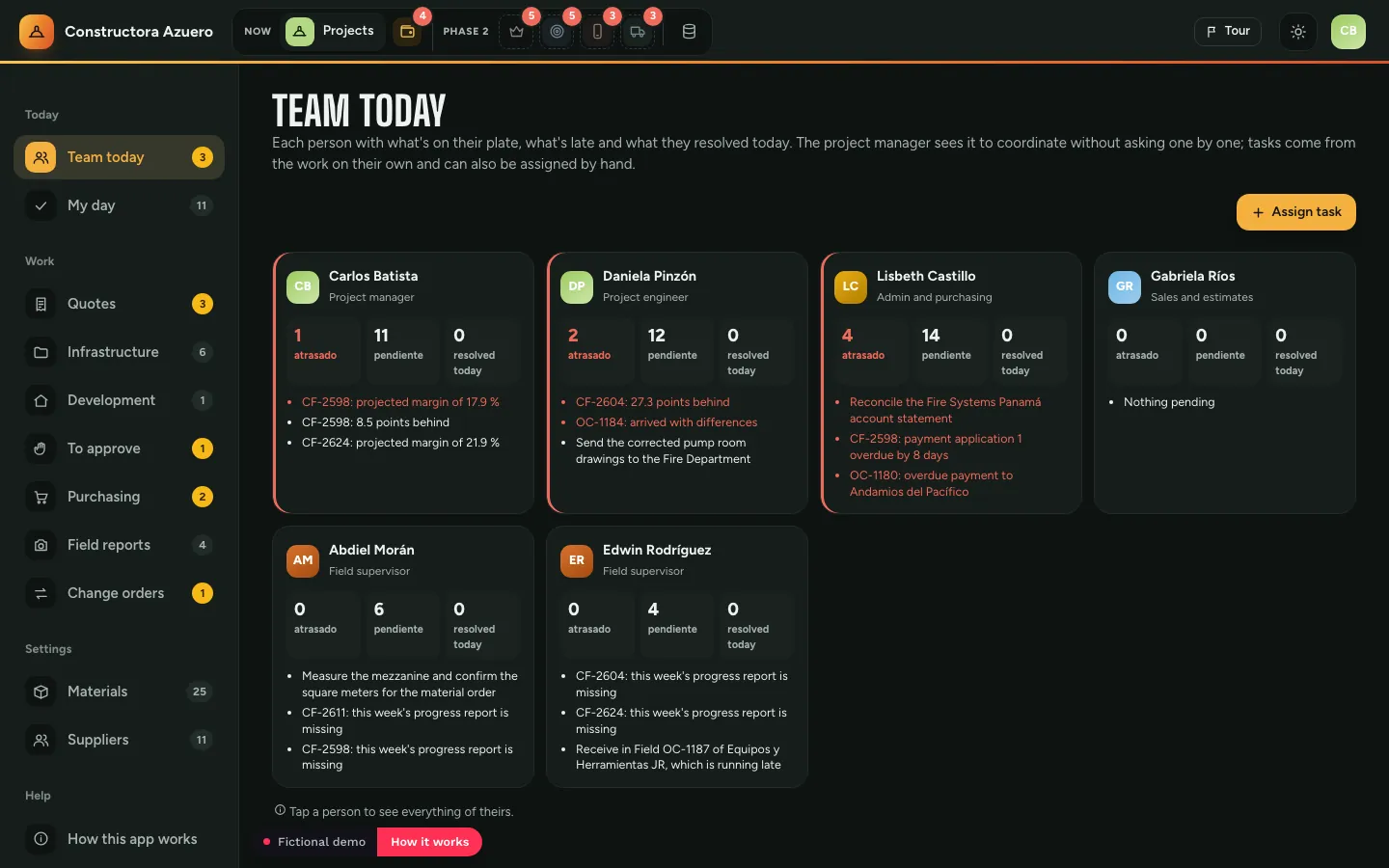
3 apps · 7-step guided tour
Construction and equipment rental: The team today: who has what, demo with fictional data
Construction and equipment rental

"No dollar leaves the budget without someone deciding who pays for it."
7 apps · 12-step guided tour
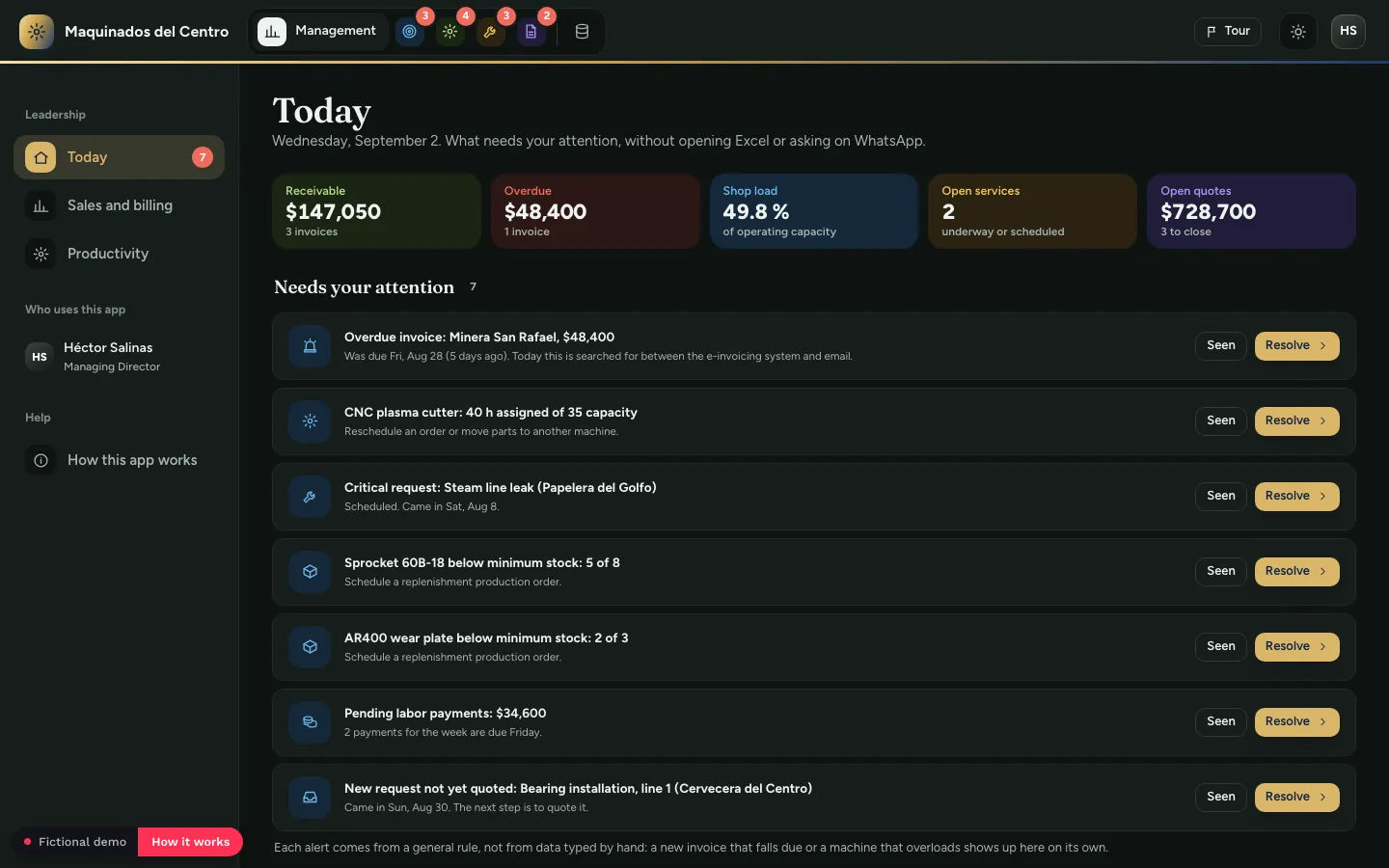
Manufacturing and industrial services: What the director sees on login, demo with fictional data
Manufacturing and industrial services

"Before promising a date, you see which machine the job fits on."
6 apps · 9-step guided tour
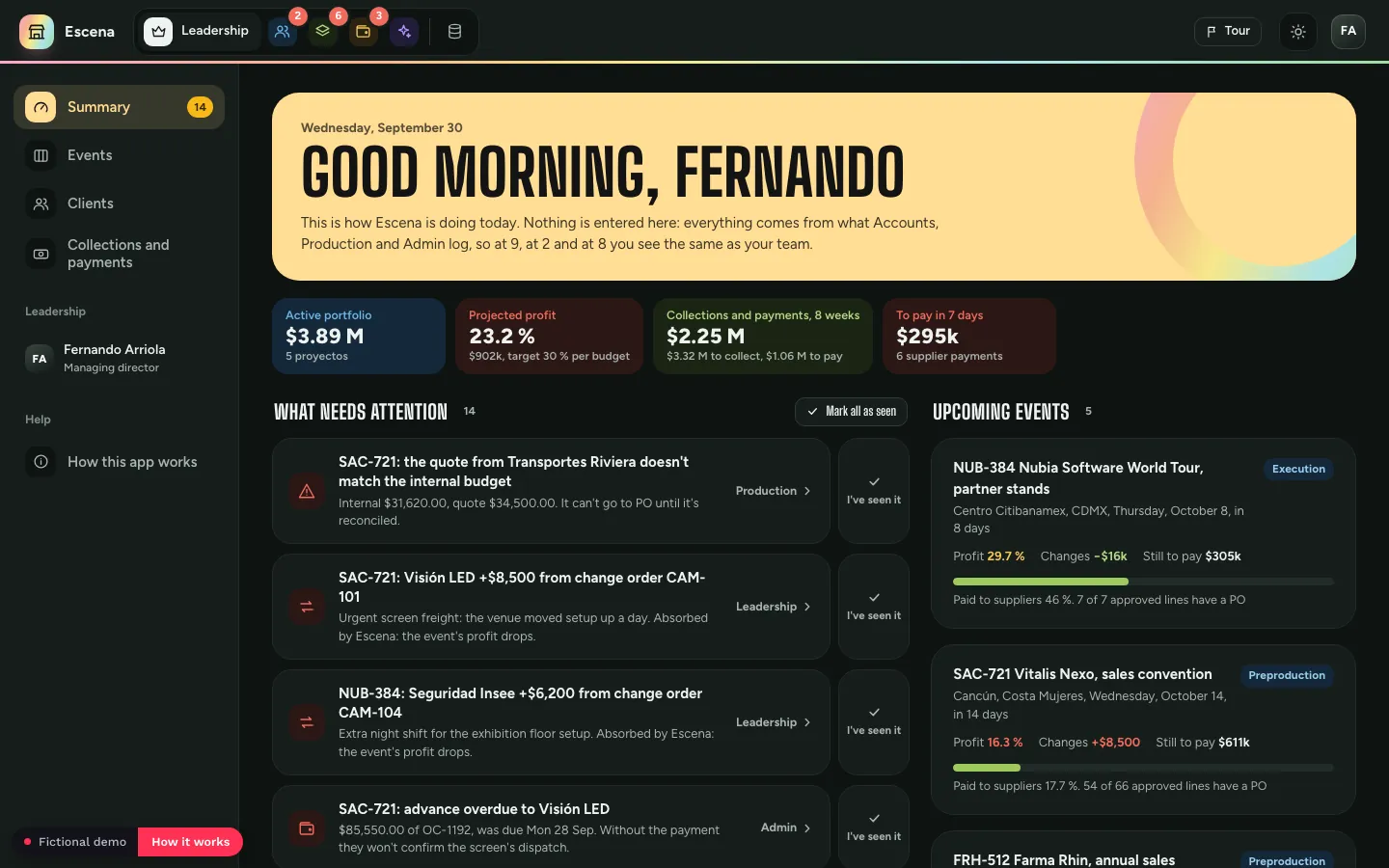
Event agency: The first thing Fernando sees, demo with fictional data
Event agency

"After selling, the budget is frozen: every change keeps its reason and it's decided whether it's charged."

6 apps · 14-step guided tour
Showing 4 of 20

Why an NDA? The demos show how we design a company's operation: its data structure, approvals and automations. The data is fictional; the design is ours. To explore them yourself, request access from any demo and sign the NDA.

Prefer a guided demo?

We walk you through the system for your industry in a 30-minute meeting. No NDA needed.

Request a demo
Case studies

Different industries.
The same operating system.

Built to measure every time. And every time, the same pattern emerges: less time spent, better output. Here's what that looks like in three very different companies.
Who we work with

We come in at one of two moments.

The entities change; the problem never does: a founder whose business has outgrown the spreadsheets-and-memory way of running it. We've built across 20+ industries, but we come in at one of two moments.

01 · Growing on Excel
You've hit the ceiling of Excel + email

The business outgrew the way you run it. You know you need real software. You're just not sure what, how, or whether it'll actually stick this time.

Your spreadsheets become connected databases, and each team gets its app.

02 · Already on monday or other tools
You bought the software, and it's still chaos.

monday, a CRM, a stack of tools. Nobody opens them. The boards just reorganized the same mess on a nicer screen. You didn't need another tool. You needed the architecture underneath it, and an app your team actually wants to open.

We rebuild your monday on a real data architecture and turn it into apps your team opens.
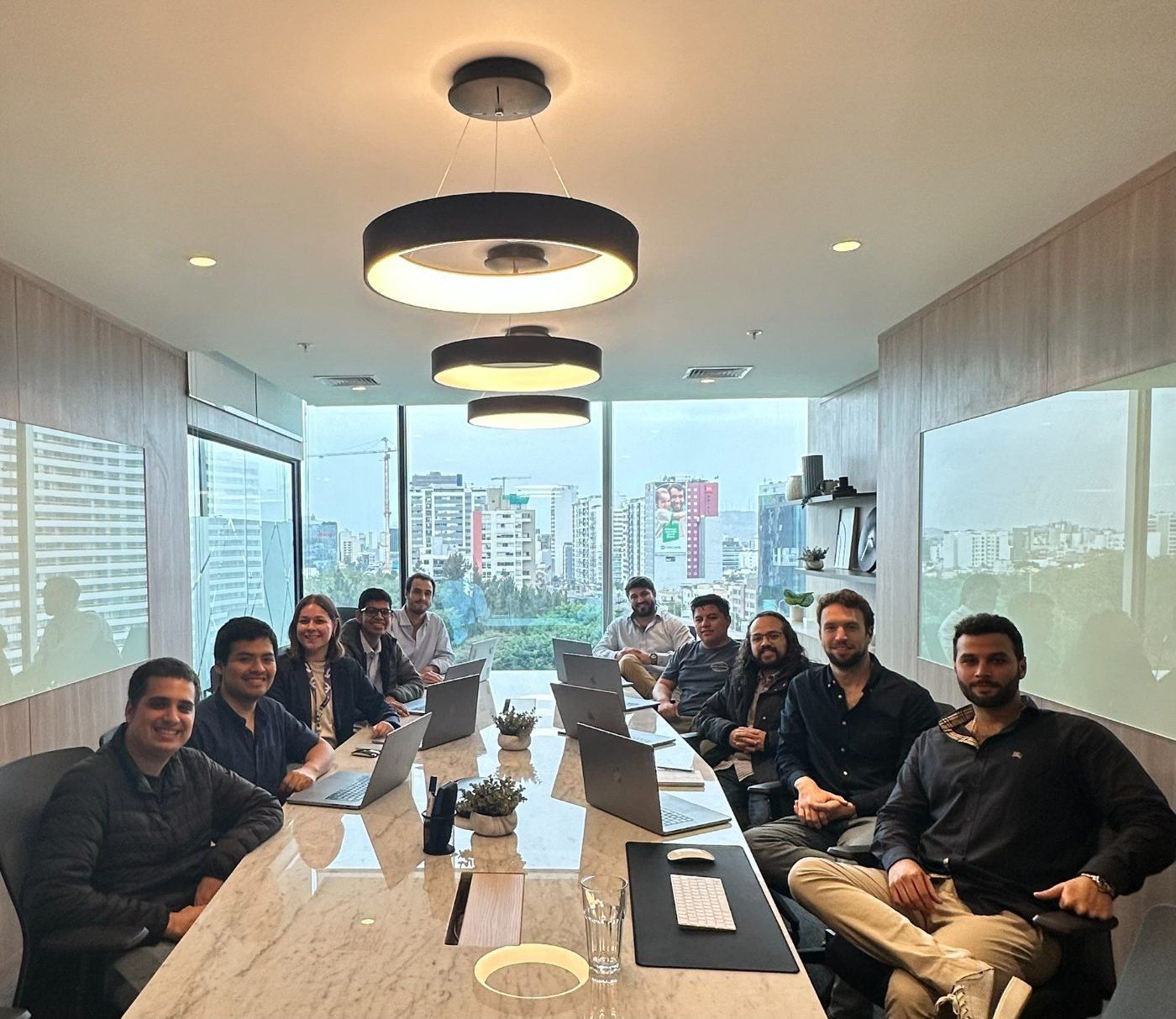
The Whatever Tech team
Who we are

We're not a freelancer.
We're a team that ships.

Whatever Tech was founded by Alejandro Panizo, an Official monday.com Partner and Expert Consultant, Top Rated on Upwork. What began as one specialist is now a full team of architects, developers, and automation engineers: a U.S. company, Whatever Tech LLC (Florida), working remotely across 5 continents.

Together we've delivered 100+ full implementations across 15+ countries. We pair technical precision with real-world business insight, and we don't hand off a system until your team actually runs it.

Registered U.S. CompanyWhatever Tech LLC · Florida, USA
0
Systems delivered
0
Countries
0
Industries
0
Hours automated
How we work

From first call to your system, fully running in apps.

Three steps you'll see from day one. Each phase in detail opens below.

1Weeks 0–1

We learn how you work.

A session with each team to see how they work and where they get stuck.

2Weeks 1–4

We build your apps on your data.

Your data organized in monday and an app for each team, live with your real data by week 4.

3Weeks 2–8

Your team uses them, we keep improving.

A round of improvements every two weeks, 15 to 25 per app, until your team runs them without us.

Your program, phase by phase.

01
Discover
From the demo call to kickoff, we learn how your business runs
Week 0–1
+
What happens
Before and after the demo call: a demo built around your operation, so you see your apps before you commit
Onboarding: start date set and your monday licenses activated (users, apps plan and AI credits)
Kickoff and discovery: a session with each team to see how they work and where they get stuck
What you get
A demo built on your own operation
Your monday account ready to build on
A map of how each team works and which apps to build first
End of Discover: you know exactly which apps we're building, for which teams, and what they'll look like when they're done.
02
Architect & Build
We design the data first, then build your apps on top
Weeks 1–2
+
What happens
Data architecture: how your information is structured, connected and flows across boards
Each app built on your boards, one per team, with the automations inside
Claude connected to your monday to move all your data in
What you get
Your data organized in monday, a foundation that grows with your business
The first version of your apps, delivered in week 2
Every automation mapped before it's built, so there are no surprises
End of Architect & Build: your team opens its own apps in week 2.
03
Improvement rounds
We watch your team work, then improve the apps
Weeks 2–4
+
What happens
One week we watch your team work, 45 minutes per app
We note where they get stuck and what they ask for
The next week we show you the improvements, and you give us feedback on the spot
What you get
15 to 25 improvements per app, per round, on average
Every "can we?" already included, no quote needed
Changes your own team asked for, so they use them from day one
End of the first round: the apps fit how your team actually works, not how it was supposed to.
04
Your apps in monday
In production, with your real data
Week 4
+
What happens
Your apps move to production in your monday account
Your real data loaded and connected across apps
Each team starts working from its own app, every day
What you get
Apps running on your real data, not test data
One process moving across apps, without retyping anything
The system your team will keep using after we leave
End of week 4: your apps are live in your monday, with your data.
05
Enable
We don't hand off your apps and disappear
Weeks 4–8
+
What happens
Two more improvement rounds per app, same rhythm
Training is the whole process: your team learns by using its own app, with us beside them
Week 8: final delivery of your apps
What you get
The final version of your apps
A team that already knows them, because they've used them since week 2
A list of next improvements, ready if you want to keep going
End of Enable: your team runs its apps on its own. Almost always, by week 6 they already tell us: "this is everything we want."
06
Ongoing Support Optional
Your apps keep evolving with your business
Monthly
+
What happens
Monthly improvement rounds, same rhythm: we watch, then we show you the changes
New apps added when another team is ready
We flag what's slowing your team down before it becomes a problem
What you get
A system that evolves with your business, not one that gets stale
A team that already knows your setup inside out
Priority response, no support queue
Ongoing Support: most clients stay with us after launch. Not because they have to, but because the system keeps getting better.

See your system live, app by app,
before you pay in full.

You pay 50% when we start and 50% when your apps are live in your monday.

Our guarantee: your apps work exactly as we scoped them, and we don't consider the job done until your team runs them without us in the room. That's the only outcome we count as success.

Build your program.

From $4,000: add or remove apps, add a client portal and choose how to pay monday.

Whatever Tech fees

One-time payment for the program

Starter package

8 weeks, 2 apps and 3 improvement rounds per app

$4,000
Additional apps

$2,000 each, with their 3 improvement rounds

0
Client portal

An app where your clients see only what's theirs, with a one-page website they log in from

$3,000

monday licenses

Paid directly to monday. They don't go through us.

Users

monday Work Management users, Pro plan. Only the people who log or update information.

3
How you pay monday

Apps plan

With Starter, each app connects to up to 5 databases.

Our clients

They already trusted us.

100+ implementations across 15+ countries.
Not a slide: a live board where every project we deliver is mapped in real time. The same kind of system we build for you.
Brookfield Properties
Ability Housing
Srixon
Dunlop
XXIO
Cleveland Golf
Jams
Bronco
Dropout Companies
Seres
My House Design/Build/Team
Abstract Capital Group
Day by Day Project
Stanza Real Estate
Trimm Roofing
Creator Origin
Koch
DuluxGroup
Vivida
Masen
Latin Gin
NobleProg
Sandbox VR
Verde Equity Partners
Charney Companies
Nevada Builders Alliance
Chemlock Nutrition
Aria Logistics
United Flow Technologies
Elite Home Staging
BNB Breeze
Advanced Safety & Energy
DR Legal Pros
PrimeX Medical
Nature's Touch
Bloom Executive Coaching
The Social Team
Next Level Parks
Global Seafood Alliance
Robinson Immigration Law
OHM Solar Solutions
New Leaf Health
Belize Telemedia Limited
WMK Wärme mit Konzept
Uayki
Lean Leadership Center
Hotspot
Peak Group Companies
Global Ops
Desert Bloom Plastic Surgery
Dentserv Dental Services
Blue Ridge Industrial
Arzuman Brothers
Next Gen Men
Poke Bear Agency
Atomic Entertainment
Fundación Deacero
Techknowledge Group
Infinity BH
Wilson Vet Co.
Tourism Guides
Potomac Growth
The Coastal Real Estate Collection
The Shop Real Estate Co.
minipak
Atherton Hockey
AIT Capital
FC Capital
Live Axe
STIM
Adam House Sr.
WTT Experiences
Damian
Orbital Studio
RUMBL
GammaSweep
Client reviews

Don't take our word for it.

100+ projects · verified on Upwork
Drag to explore · hover to pause
FAQ

Questions we get
every first call.

Do I need to be on monday.com already?
+
No. We can start from zero or rebuild what you already have. If you're starting from zero, we activate your monday licenses during onboarding, before we build anything.
What is monday vibe?
+
monday's AI app builder. We use it to build a custom app for every team, running on the data in your monday account.
What do I get in the 8-week program?
+
Two apps built on your monday.com, one for each team, on top of a data architecture we design first. Each app gets 3 improvement rounds, goes live with your real data by week 4, and is delivered in its final version in week 8. The starter package is $4,000, each additional app is $2,000, and a client portal is $3,000.
How long does it take?
+
Your team works in its apps from week 2, they go live in your monday by week 4, and the program closes in week 8. Every milestone is agreed before we start, so there are no surprises.
How much of my team's time does this take?
+
Mostly their usual work, now done in their apps. In week 1, each team has one discovery session with us. From week 2, each app needs about 45 minutes every other week while we watch the team work, and in the week between, you review the new version with us and give feedback.


What if my process changes mid-program?
+
That's the point. One week we watch your team use each app for 45 minutes, and the next we show you the new version with the changes. Each round brings 15 to 25 improvements per app on average, and every "can we?" is already included, with no extra quote. If a new team needs its own app, you add it for $2,000.
What if my team doesn't adopt the apps?
+
Adoption is part of the build. Your team uses its apps from week 2, and the improvements come from what they ask for, so the apps fit how they actually work. We don't consider the job done until they run the apps without us in the room.
How do payments work?
+
It's a one-time payment for the program, not a subscription. You pay 50% in week 1 and the other 50% in week 4, once your apps are live. Prices are in USD and don't include taxes, which are added to your invoice.
What will I pay monday.com?
+
Licenses for the people who log or update information, an apps plan and AI credits, billed directly by monday with no markup from us. As a reference, users on the Pro plan are $24 a month each ($19 on annual billing), the apps plan is $100 or $250 a month, and AI credits are $50 a month. The quoter above estimates it for your team, and we help you size it before you start.
Who owns the apps?
+
You do. The apps, your data and the automations live in your own monday account, under your licenses. If you stop working with us, everything stays with you and keeps running.
Can I start small and add more later?
+
That's how the program is designed. You start with two apps and add more when another team is ready, during the program or after it. Each additional app is $2,000 and comes with its 3 improvement rounds.
What happens after week 8?
+
Your team keeps running its apps on its own. If you want to keep improving, Ongoing Support is optional and monthly: improvement rounds with the same rhythm, new apps when another team is ready, and priority response from a team that already knows your setup.
Why do you build the data architecture first?
+
Because apps and automations on top of messy data only make the mess move faster, and that's the most common reason implementations fail. We structure your data first, so everything built on top holds up and scales as you grow.
Can I see examples of what you build?
+
Yes. We have 20 demos across 20 industries, each built from a single meeting and rebuilt with fictional data. You can preview four on this page, and the full set opens after you request access and sign an NDA.
Do you connect monday with other tools or build custom software?
+
Yes. When your operation needs more, we connect monday with tools like Meta, WhatsApp or your website, and build custom software around it: web apps, mobile apps and databases. These are quoted separately from the program, and everything stays one connected system.
Do you work with companies outside the US?
+
Yes. We've built systems for clients in 15+ countries across 5 continents. We're a registered U.S. company (Whatever Tech LLC, Florida), so you contract with confidence. All sessions are remote, and we adapt to your timezone and language.
Let's talk

Not sure if we're
the right fit?

Let's find out together. In 30 minutes we'll look at how your teams work today and tell you which apps we'd build first, and whether it makes sense.

30-minute consultation meeting